
1
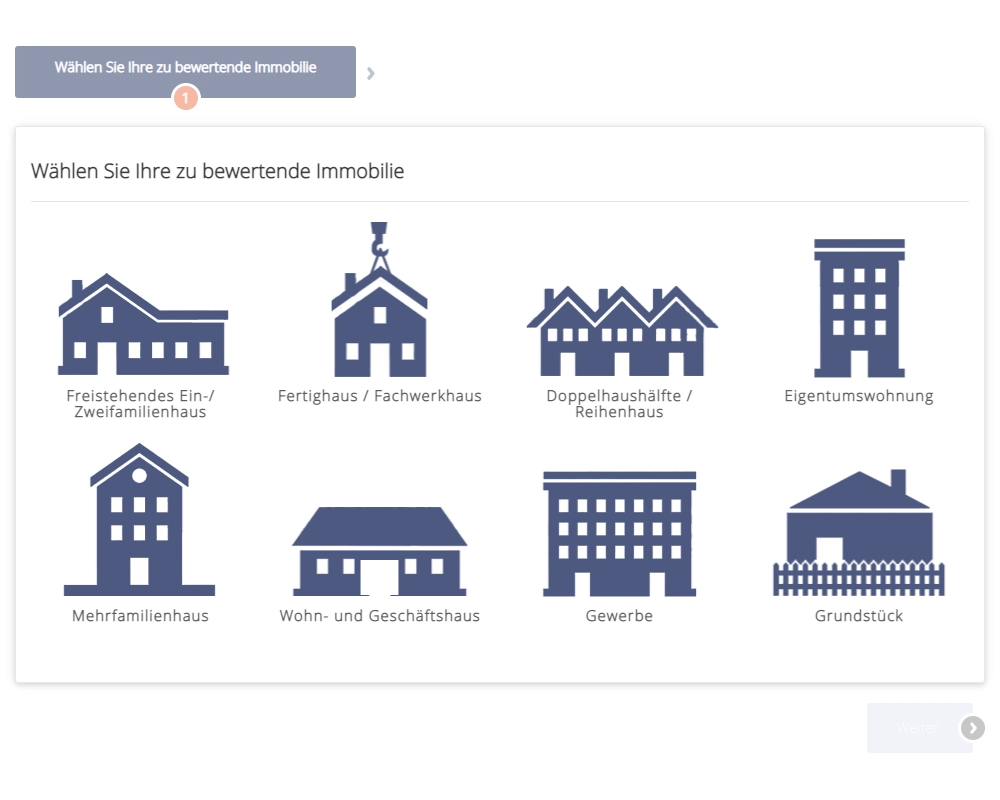
Select property type
Detached house, terraced house, flat, apartment building, commercial property or plot.


Included in the real estate software
Anyone who wants to sell first wants to know what their property is worth. The lead generator takes this question on your website. You receive the enquiry with all details and reply with your assessment.
Detached house, terraced house, flat, apartment building, commercial property or plot.
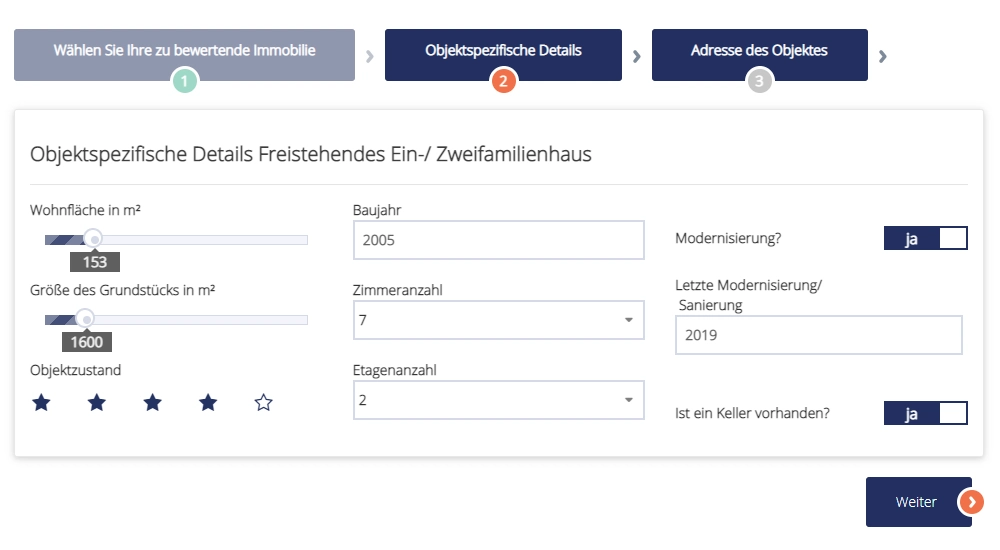
Living space, plot, year of construction, rooms, condition, modernisation and basement, via sliders and selection.
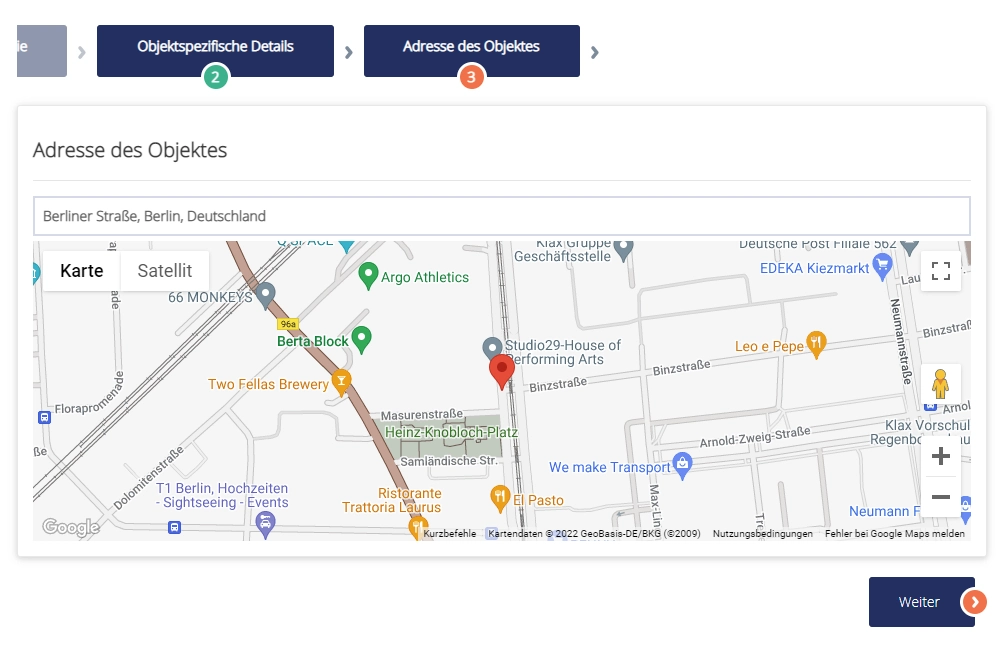
The owner enters the address and sees the location on the map.
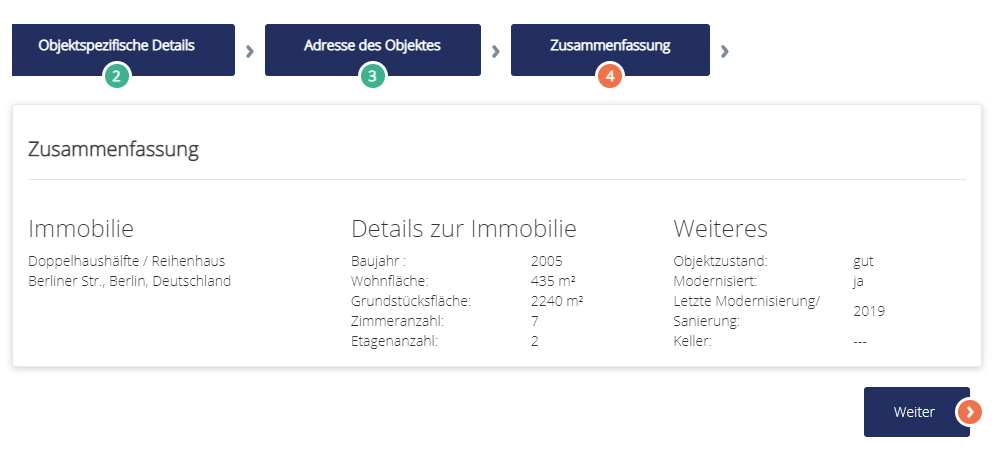
All details at a glance, then the contact data. The enquiry is sent to you by e-mail and created in the CRM.
On the home page or in any other section. The design adapts to your website.
Using the source code, you can embed the lead generator in other websites as well, for instance at partners.
Every enquiry is created as a contact. You see property, details and history in one place.
The lead generator collects the details; the valuation remains your work. This gives you a concrete reason for a personal conversation with the owner.
The lead generator is included in immoprofessional. Set it up in the trial version and activate it on your website.
Request a free trialAn owner selects property type, key data and address on your website and leaves their contact details. You receive the enquiry by e-mail and in the CRM, prepare the valuation and get in touch.
No. The lead generator collects the details; you prepare the valuation yourself. This keeps the personal contact with the owner in your hands.
On the home page or any other section of your website. Using the source code, it can also be embedded in external websites.
No. It is included in the real estate software and adapts to the design of your website.